
Wi-Fi, Firewalls and Wiring
Network Support in Vancouver, WA
Wi-Fi dropping in the same spot every day? Say where.
Network Support and Management for Vancouver Offices
Network support in Vancouver, WA fixes and maintains the equipment that connects your office, meaning the firewall, switches, Wi-Fi and internet line. Managed Service Provider Vancouver connects local businesses with an independent provider. Call or email contact@managedserviceprovidervancouver.com.
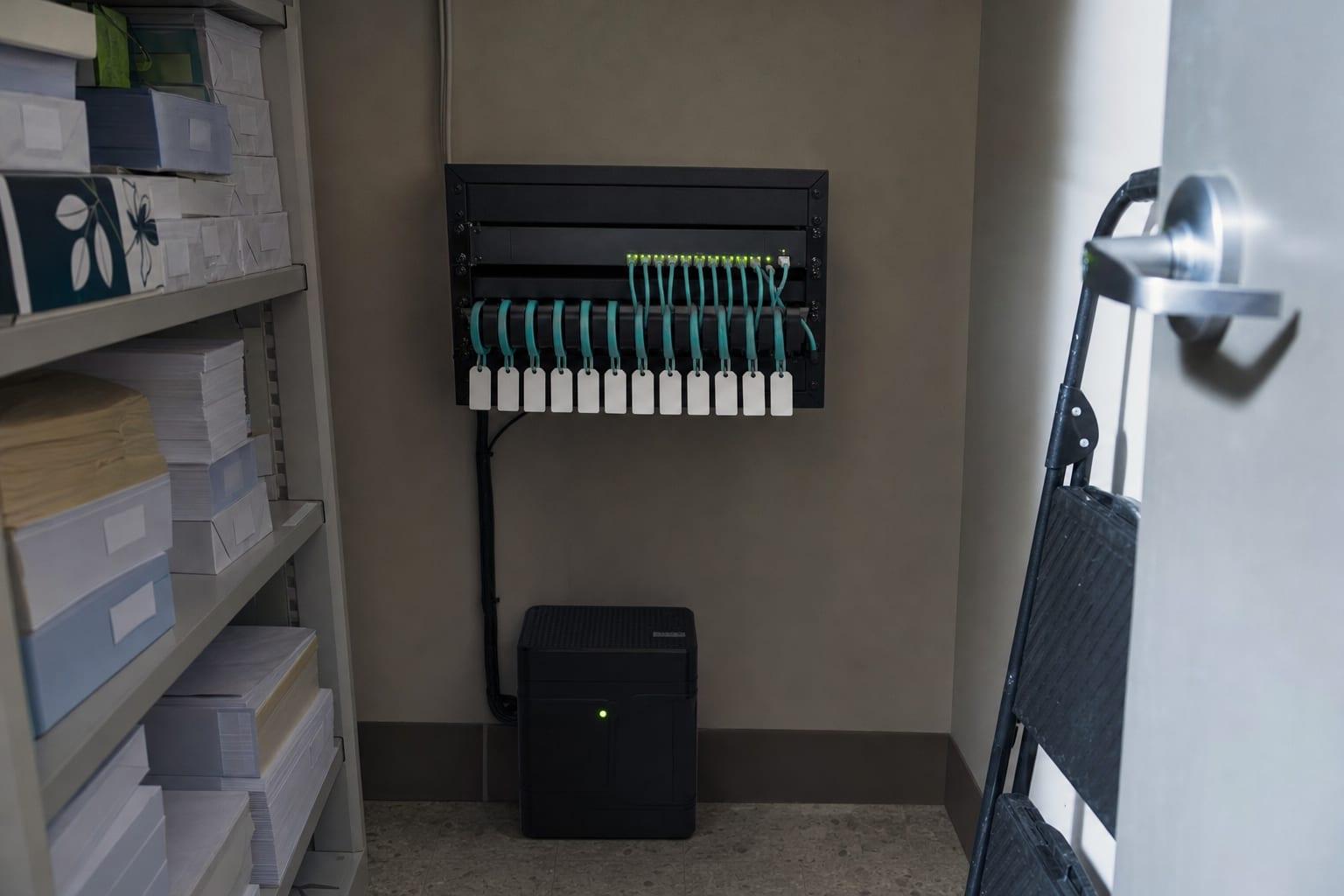
The network is the part of the office nobody thinks about. It lives in a closet, behind the coats, with a tangle of blue cables and a box of blinking lights.
When it fails, everything fails at once. No email, no card reader, no phones if they run over the internet.
Most network trouble comes from three places. Consumer-grade gear doing a business's job, equipment that has not been updated in years, and nobody having a map of what plugs into what.
Network management means someone owns that closet. Updates get installed, the firewall rules are reviewed and you receive a diagram.
Power matters here too. Clark Public Utilities, the customer-owned utility that voters formed in 1938, supplies electricity across the county. A small battery backup keeps your network gear from dropping on a brief flicker.
What Network Support Covers
Network support is part repair and part upkeep. A provider should be able to do all six of these.
Wi-Fi Coverage
Access points placed and tuned so the back office works as well as the front desk.
Firewall Management
The device between you and the internet kept updated, with rules that match how you work.
Switches and Cabling
Dead wall jacks traced, bad cables replaced and ports labeled.
Internet Outage Help
Working out whether the fault is inside your building or the carrier's, and making the call for you.
Guest and Staff Networks
Visitors and personal phones kept on a separate network from company files.
Remote Access
A secure way for staff to reach office systems from home or from across the river.
How a Network Problem Gets Solved
Symptoms
You describe what drops, where and when.
Introduction
You are matched with an independent network provider.
Testing
Signal, speed and equipment logs are checked.
Findings
You get the cause and the options in writing.
Fix and Document
The repair is made and the diagram updated.
Why Choose Us for Network Support?
A Diagram You Keep
You end up with a drawing of your network and the passwords to it.
Cause Found First
Slow Wi-Fi gets measured before anyone sells you new equipment.
Business-Grade Gear
Recommendations favor equipment that keeps receiving security updates.
Carrier Calls Handled
Someone else sits on hold with the internet company.

Network Support Pricing
| Work | Price | Typical Use |
|---|---|---|
| Troubleshooting visit | Custom quote | A specific problem, such as drops or slow speeds |
| Network refresh project | Custom quote | Replacing an aging firewall, switches and Wi-Fi |
| Monthly network management | Custom quote | Ongoing updates, monitoring and changes |
Hardware is quoted separately from labor. Ask how long the manufacturer will keep issuing updates for any device on the quote, since a firewall without updates is a liability.
Talk to a Vancouver IT Team
If the fix for your internet is unplugging a box and counting to ten, it is time.
Call (360) 564-5138Get a Free Quote
No obligation.
Where You Can Get This Service
Network Support Questions
Why does our office Wi-Fi keep dropping?
Office Wi-Fi usually drops because of too few access points, interference from neighbors, outdated equipment or a failing internet line. A technician can measure signal in each room and read the equipment logs to find which one it is before you buy anything.
What is the difference between network support and network management?
Network support fixes a problem after it appears. Network management keeps watch all the time, installs updates and makes changes as your office changes. Support is billed by the job, and management by the month.
Do we need a firewall if we only use cloud apps?
An office that uses only cloud apps still needs a firewall, because staff computers, printers and phones sit on the local network. A business firewall blocks known threats and separates guests from staff. It needs regular updates to stay useful.